
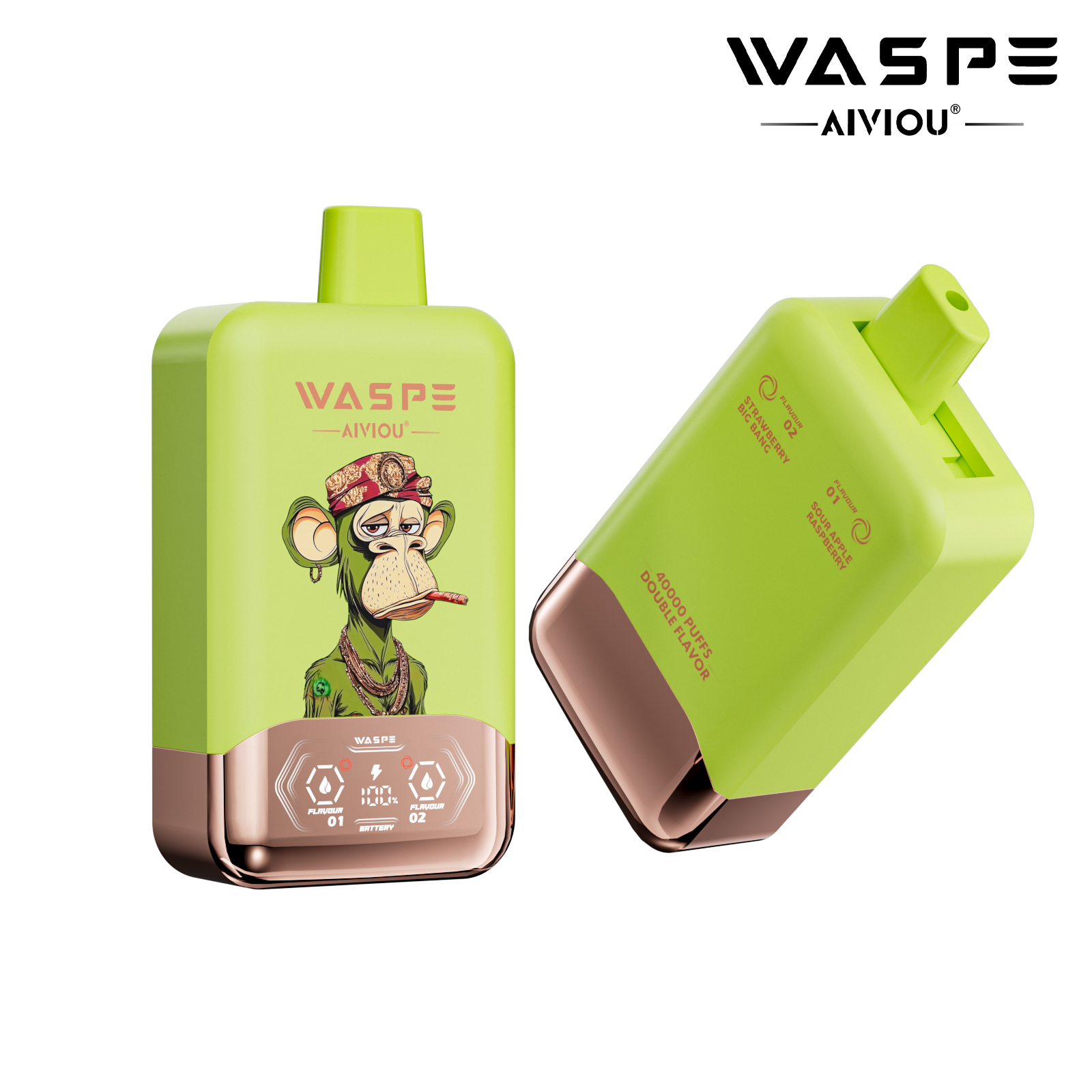
How Electronic Cigarettes Notify Users of Low Battery: A Comprehensive Guide
Electronic cigarettes rely on intuitive battery management systems to ensure consistent performance and user safety. Low battery alerts are a critical feature, preventing sudden shutdowns and potential damage to internal components. Below, we explore the primary methods electronic cigarettes use to signal low battery levels, from visual indicators to haptic feedback.
Visual Indicators: LED Lights and Color Codes
Blinking Patterns and Frequency
Most electronic cigarettes use LED lights to communicate battery status. When the battery drops below a certain threshold, the LED typically begins flashing. For example, some devices flash the LED 10 times in quick succession when the battery reaches 5% capacity, signaling an urgent need to recharge. Others use slower, rhythmic blinks for moderate low-battery warnings (e.g., 30% remaining).
The flashing frequency often correlates with the severity of the battery depletion. A rapid, continuous blink may indicate critical low battery, while intermittent blinks suggest the device still has a small reserve of power. Users can quickly interpret these patterns to avoid interruptions during use.
Color-Based Alerts
Advanced models incorporate multi-color LEDs to enhance clarity. A white or blue light might represent normal operation, while a red or orange light signals low battery. Some devices even transition through colors as the battery depletes—shifting from green (full) to yellow (moderate) to red (critical). This visual gradient provides a more nuanced understanding of remaining power.
In certain designs, the LED color changes during charging. For instance, a red light during charging might switch to green once the battery is full, offering a clear end-of-charge signal.
Haptic Feedback: Vibration Alerts
Inertia-Driven Vibration Mechanisms
Many modern electronic cigarettes integrate vibration motors to deliver tactile alerts. These motors rely on inertia-based switches, where a small internal weight shifts when the device vibrates, triggering a circuit. When the battery reaches a low level, the device vibrates briefly (e.g., once or twice) to draw the user’s attention.
This method is particularly useful in noisy environments or when the LED is not easily visible. For example, a user driving a car might not notice a flashing light but could feel the vibration through the device.
Contextual Vibration Patterns
Some devices use varying vibration intensities or durations to convey different messages. A short, single vibration might indicate low battery, while a longer, repeated vibration could signal a critical issue like a short circuit. Advanced models even combine vibrations with LED alerts for redundancy, ensuring the user receives the message regardless of environmental conditions.
Auditory Alerts: Beeps and Tones
Simple Beep Signals
While less common than visual or haptic alerts, some electronic cigarettes emit beeps when the battery is low. These tones are typically short and high-pitched, designed to cut through ambient noise. For instance, a device might beep three times in quick succession when the battery drops below 15%.
Multi-Tone Systems
A few models use distinct tones for different battery levels. A single beep could represent moderate depletion, while a double beep signals critical low battery. This approach mimics the urgency levels of smartphone alerts, helping users prioritize recharging.
Smart Chip Integration: Precision Monitoring
Real-Time Voltage Tracking
The brains of an electronic cigarette—often a microcontroller unit (MCU)—continuously monitors battery voltage. When the voltage falls below a preset threshold (e.g., 3.3V for a 4.2V lithium-ion battery), the MCU triggers the chosen alert method (LED, vibration, or beep). This real-time tracking ensures accurate low-battery detection, even during heavy usage.
Adaptive Alert Thresholds
Some MCUs adjust alert thresholds based on usage patterns. For example, if a user frequently drains the battery to 10% before recharging, the device might learn to trigger alerts slightly earlier to prevent unexpected shutdowns. This adaptability enhances user experience by aligning alerts with individual habits.
Power Management During Low Battery
Auto-Power Reduction
To extend runtime during low battery, many electronic cigarettes automatically reduce power output. The MCU lowers the voltage supplied to the heating coil, resulting in smaller vapor clouds but preserving battery life. This feature ensures the device remains functional until the user can recharge it.
Safe Shutdown Protocols
When the battery reaches a critically low level (e.g., below 3.0V), the MCU initiates a safe shutdown. This prevents over-discharging, which can damage the battery and reduce its lifespan. During shutdown, the device may emit a final alert (e.g., a long vibration or a red LED flash) to confirm the action.
User Interaction: Acknowledging Alerts
Button Presses to Silence Alerts
Some devices allow users to acknowledge low-battery alerts by pressing a button. For example, a user might press the fire button once to stop a flashing LED or vibrating alert. This interaction prevents repetitive alerts from becoming annoying while ensuring the user is aware of the low battery.
Temporary Overrides
In rare cases, users can temporarily override low-battery protections to finish a session. However, this is generally discouraged, as it risks damaging the battery. Devices that offer this feature typically limit the override duration to a few seconds.
Environmental Considerations for Alerts
Brightness and Visibility Adjustments
To ensure LED alerts are visible outdoors, some electronic cigarettes adjust LED brightness based on ambient light. A light sensor detects bright conditions and increases the LED’s intensity, making it easier to see. Conversely, in dim environments, the LED dims to conserve power.
Waterproofing and Vibration Durability
Devices designed for outdoor use often feature waterproof vibration motors and LEDs. This ensures alerts remain functional even in rainy or humid conditions. For example, a vibration motor sealed in a waterproof casing can operate reliably after accidental drops in water.
Future Innovations in Low-Battery Alerts
Haptic-Visual Hybrid Alerts
Emerging designs combine haptic and visual alerts for maximum impact. A device might vibrate while flashing a red LED, creating a multisensory warning. This approach is particularly effective for users with hearing or visual impairments.
Predictive Battery Alerts
Advanced MCUs could soon predict battery depletion based on usage history. For instance, if a user typically vapes heavily in the evening, the device might alert them to recharge in the afternoon, even if the current battery level is moderate. This proactive system would reduce the risk of sudden shutdowns.
Conclusion: The Importance of Clear Low-Battery Alerts
Low-battery alerts are a cornerstone of electronic cigarette functionality, ensuring users avoid interruptions and protect their devices from damage. By combining visual, haptic, and auditory signals with smart chip integration, modern electronic cigarettes offer intuitive and reliable ways to manage battery life. As technology evolves, these alert systems will become even more sophisticated, enhancing user convenience and safety.